1. Navigate to the Folder/file you want to download.
2. Check the box on the left and click download.
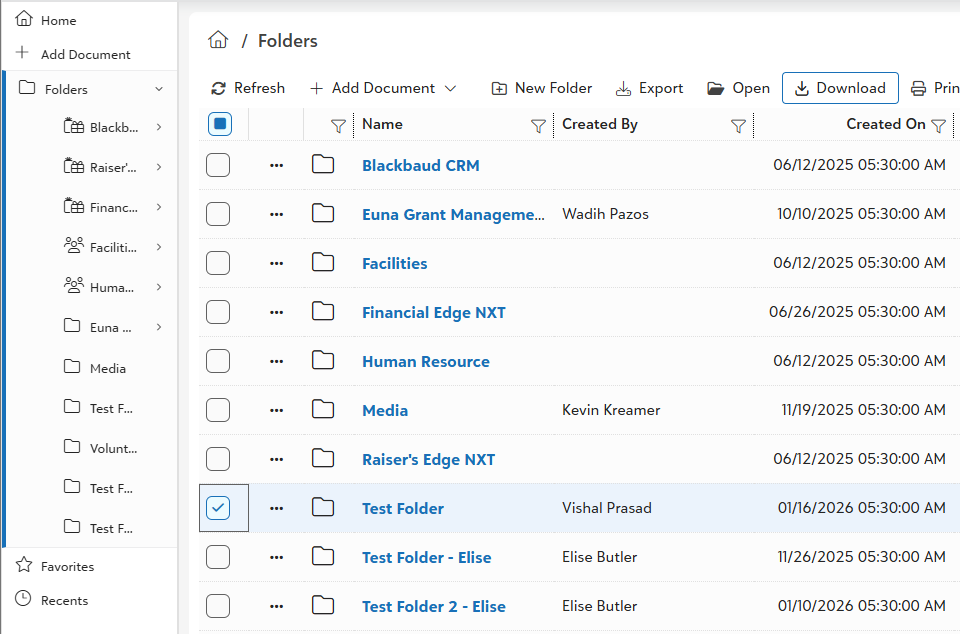
3. This will download the entire folder with all of its content as a zip file.
4. Alternatively you can open the folder and select a file you want to download.
5. For multiple downloads you can check boxes of all the files you want to download.
Was this article helpful?
That’s Great!
Thank you for your feedback
Sorry! We couldn't be helpful
Thank you for your feedback
Feedback sent
We appreciate your effort and will try to fix the article