AiryDocs grid view makes finding documents easy with simple column choices, filtering, and sorting.
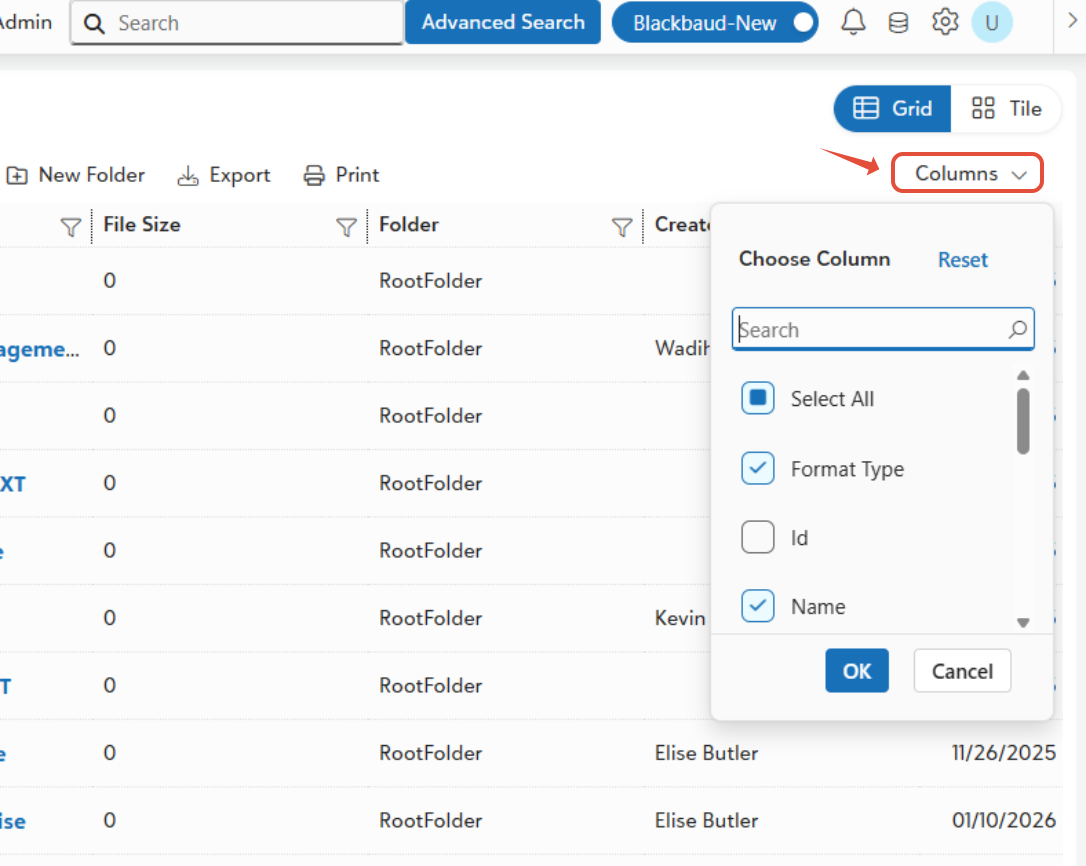
- Columns: Click the column picker icon to choose what you want to see (like Created by, dates, or file size etc.). Your choices save automatically for each folder, so next time it's ready to go. Exports only include what you chose.
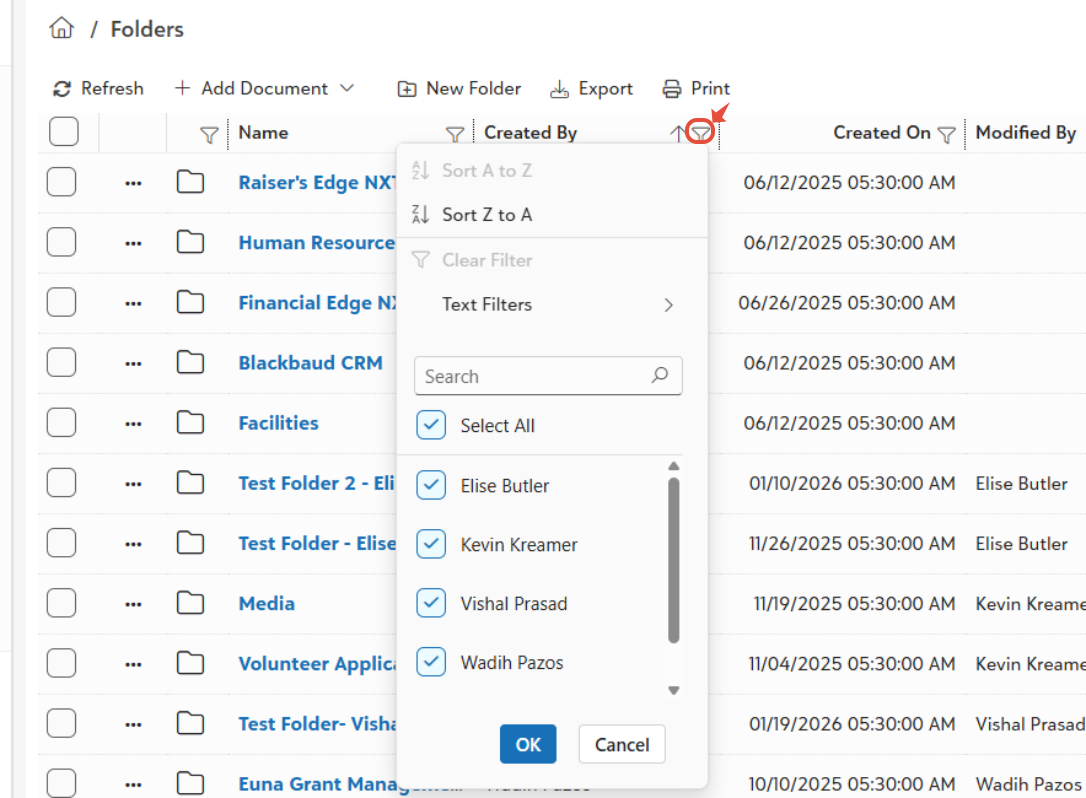
- Filter Like Excel: Click any column header dropdown to filter). Works across all pages. Combine filters for precise results like.
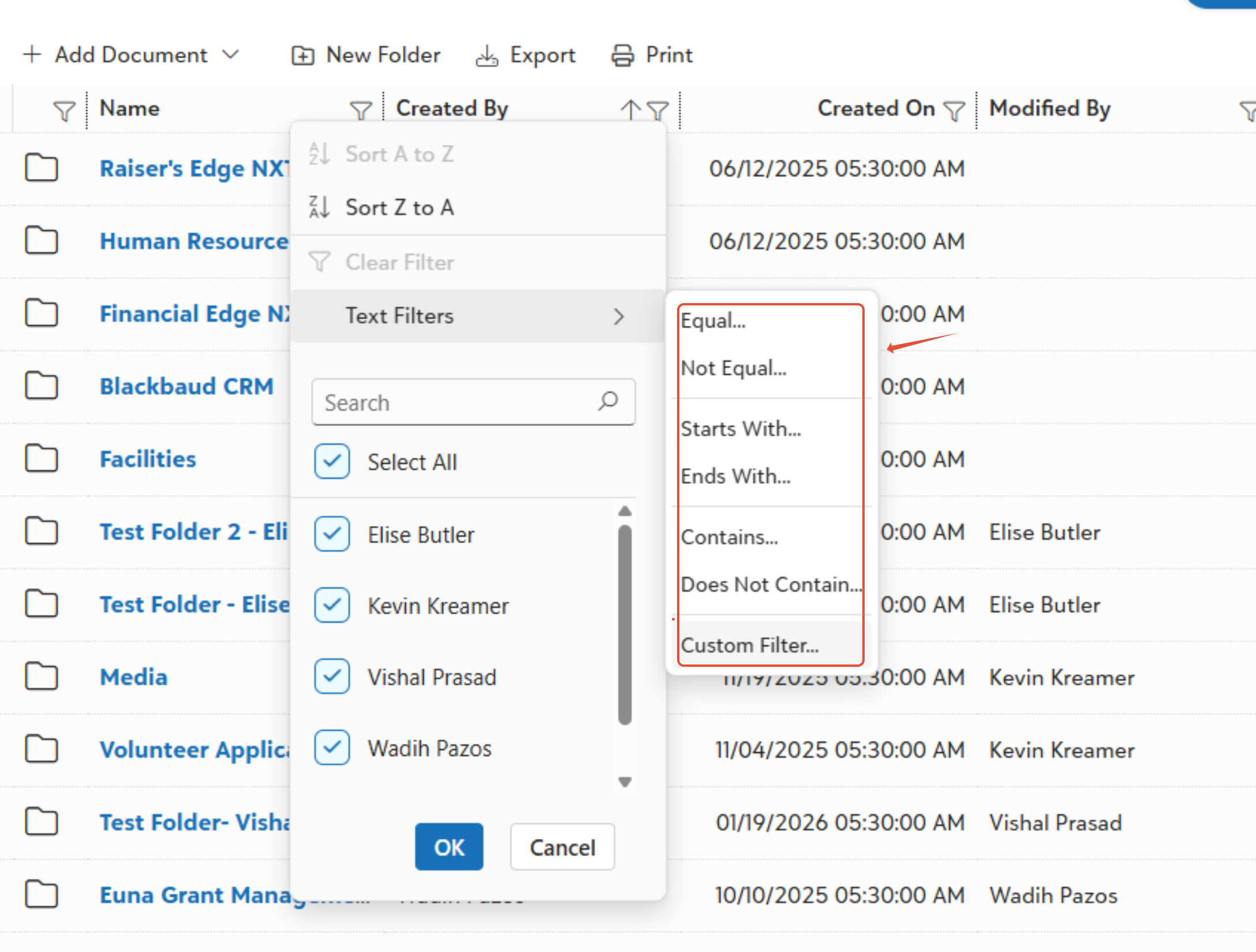
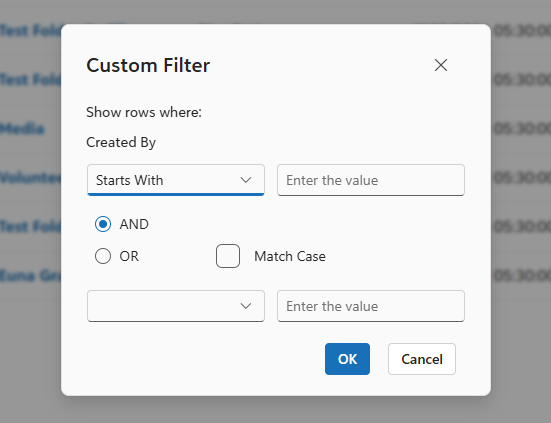
- Create Customs Filters: Build advanced searches with multiple conditions (e.g., Folder=Contracts AND Expiration Date > Today). Name and save them for reuse anytime—edit or delete later.
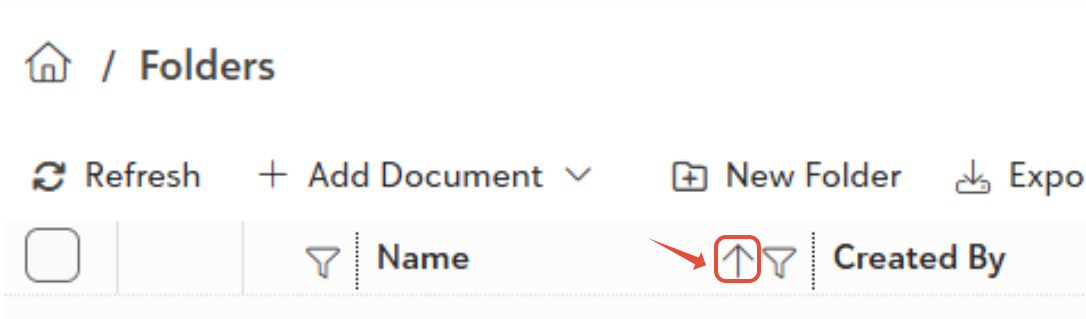
- Sorting: Click a column header to sort (up/down arrows show).
Was this article helpful?
That’s Great!
Thank you for your feedback
Sorry! We couldn't be helpful
Thank you for your feedback
Feedback sent
We appreciate your effort and will try to fix the article